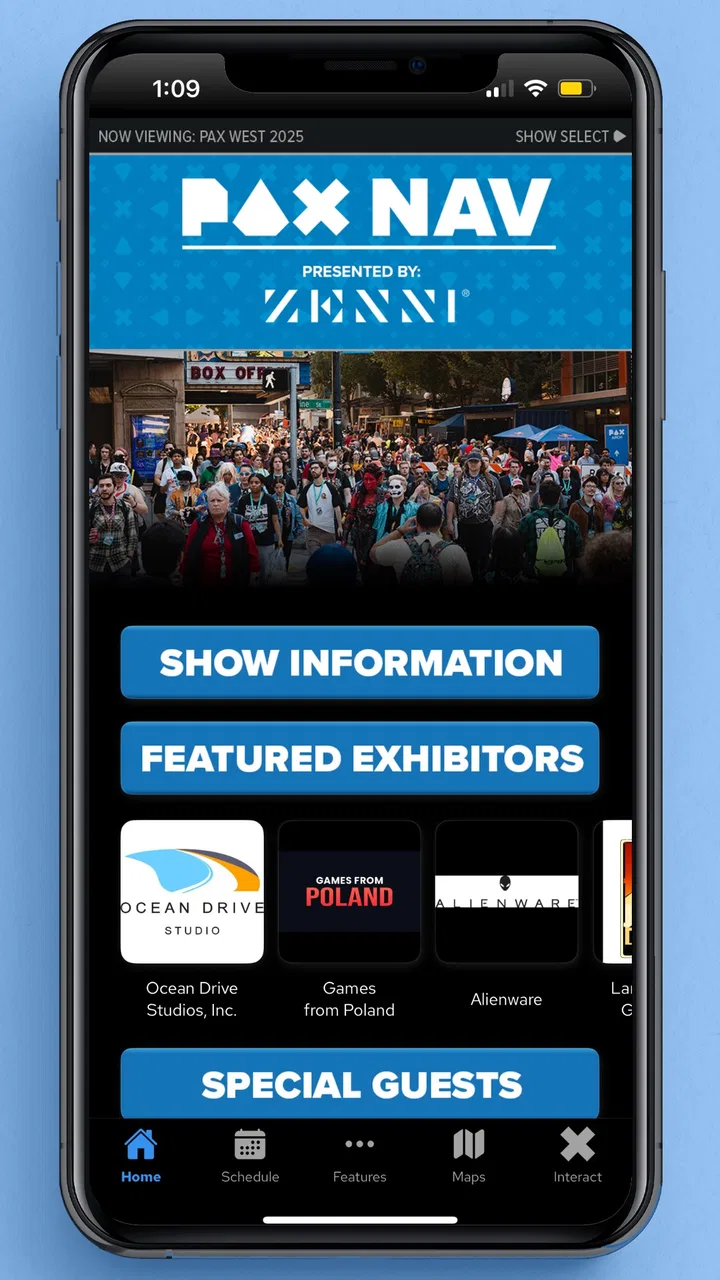
PAX Nav
- 3.6
- Rating
- 50.00K
- Installs
- Free
- Price

 Analysis by App-foxy
When I use PAX Nav, I think of it less as a general event app and more as a pocket companion for people who already have a reason to attend a PAX event. Its job is practical: help me orient myself, make decisions during a busy convention, and keep the event experience from becoming a constant search through signs, paper schedules, or scattered notes. That focused purpose is also the key to understanding it. If you are attending PAX, the app can be genuinely useful. If you are simply looking for a broad gaming-news or community app, it is not aimed at you.
Developed by ReedPop Mobile, this free Events app is presented as the official app for PAX. I found that official positioning important because convention tools work best when they are tied closely to the event they serve. The current release is version 5.0.0, and the app is suitable for Everyone on devices running Android 10 or newer. Its average rating sits at 3.6 from around 69 ratings, with about 31 written reviews and over 50 thousand installs. Those figures suggest a useful but not universally loved companion, which matches my overall impression: the app can reduce friction at the convention, but it is not something I would install without a clear event-related need.
What PAX Nav is really good at during a convention
I find PAX Nav most useful when I treat it as a shared reference rather than a schedule I have to obey: it can help me decide what to explore next, while leaving room for queues, breaks, and changing group plans. That distinction matters because a convention day rarely unfolds exactly as expected. Next, I’d look at how to prepare a flexible plan that stays useful even when priorities shift.
You May Also Like

 Blood Strike: 2.5 Anniversary
Blood Strike’s Loadouts Turn Every Drop Into a Tactical Gamble
A close look at Blood Strike’s custom loadouts: how fast access to signature weapons reshapes its battle royale rhythm, rewards preparation, and narrows the gap between fights.

 Pandora - Music & Podcasts
Pandora’s Music Is Easy to Start, but Harder to Recover
Pandora’s strength is its low-effort path from a seed to a station. Its weak spot is how much confidence it asks you to place in connection, setup, and quiet recovery.

 8 Ball Pool
 Is Built on Rivalries, Rematches, and Routine
A close look at the rivalries, rematches, shared routines, and unanswered safety questions that turn a quick pool match into a persistent mobile community.

 Samsung Music
’s Quiet Strength Is Playing What You Already Own
Its reach comes less from spectacle than from dependable access to a personal library. That simplicity is both the app’s strongest retention engine and its ceiling.

 AccuWeather: Weather Radar
AccuWeather Review: A Quick, Clear Forecast for Everyday Decisions
For everyday plans, the best forecast is the one you can understand quickly. AccuWeather makes rain timing, radar, and local conditions easy to act on, with a few trade-offs.

 Hill Climb Racing
Why Hill Climb Racing Still Turns Crashes Into One More Run
A tiny car, a bumpy hill and one more upgrade: Hill Climb Racing keeps resurfacing because its simple chaos makes every near-miss feel personal.
More From Our News Desk



A practical starting point before entering the venue
The best way to use PAX Nav is to open it before the event becomes hectic. I would not wait until I am standing in a crowded hallway with a low battery and several friends asking what to do next. A few minutes of preparation makes the app more valuable: I can look through the available event information, identify the parts of the day that matter most to me, and decide which activities deserve priority.
That planning habit is more useful than simply browsing the app at random. Large conventions create a familiar problem: there is always more happening than one person can reasonably attend. A good companion app should help me make trade-offs, not encourage me to chase everything. I use PAX Nav as a decision-making tool. I look for the sessions, areas, or activities that fit my interests, then keep a smaller plan in mind so the day remains flexible.
This is where an official event app has an advantage over ordinary web searches. A browser can find general information, but it is less convenient when I am moving between rooms or trying to make a quick choice. PAX Nav keeps the relevant PAX context in one place, which is exactly the kind of narrow usefulness I want from a convention app.
Useful when plans change every few minutes
My favorite realistic use case is a day that does not go according to plan. I might begin with a panel in mind, discover that the queue is longer than expected, and then need an alternative nearby. A friend may want to visit an exhibitor while I would rather attend a different activity. In that situation, the app is most helpful as a quick reference point rather than a strict itinerary.
I would build a loose schedule with one or two priorities and several backup ideas. The important insight is to leave room between choices. Convention movement takes time, and a schedule that looks perfect on a phone can be impossible in the venue. Using PAX Nav to compare options while keeping the plan deliberately light is more realistic than attempting to fill every part of the day.
This also makes the app useful for groups. Instead of repeatedly explaining where something is or asking everyone to search separately, one person can check the event information and suggest the next destination. It does not remove the need for communication, but it can reduce the small delays that add up when several people are trying to agree on what to do next.
The value of official information in a busy setting
Convention information is only useful if I can find it at the moment I need it. PAX Nav’s strongest argument is that it is built specifically around PAX rather than being a generic calendar or map application. That specialization matters when I am already inside the event and need an answer connected to the convention itself.
I also prefer using an official companion for event details because it gives me a clearer place to start than a mixture of saved screenshots, browser tabs, and messages from friends. My practical tip is to check the app once before leaving for the venue, again when I arrive, and whenever my original plan changes. That rhythm avoids the common mistake of treating a schedule as fixed when the day itself is fluid.
At the same time, I would still keep essential personal information somewhere else. The app should support my plan, not become the only place where I remember what matters. I keep meeting points, transport details, and contact information in my normal notes or messaging apps. That separation is sensible because PAX Nav is designed around the event experience, while my broader travel and group arrangements belong elsewhere.
Where the experience feels less complete
The app’s narrow focus is both its strength and its limitation. I would not expect it to replace a full calendar, navigation service, messaging platform, or personal task manager. Someone who wants one tool to handle travel, friends, reminders, and every detail of a convention day may find the experience incomplete.
There is also a learning curve that comes from event density rather than complicated software. When many activities compete for attention, even a well-organized app can feel busy. I found that browsing without a clear question was less effective than opening it with a purpose: find something to do next, check a detail, or adjust a plan. That small change in approach makes the interface feel more manageable.
Another trade-off is dependence on preparation. The app is most useful when I have already thought about my interests and priorities. It cannot decide whether I would rather spend an hour in a queue, explore an area casually, or meet friends for a break. It can help me inspect the available choices, but the judgment remains mine. For me, that is appropriate, although users expecting a fully personalized day planner may want more guidance.
How it compares with the usual alternatives
The most obvious alternative is the event website viewed in a mobile browser. A website can be perfectly adequate for a quick look, especially if I only need a single piece of information before attending. However, the dedicated app feels more natural when I expect to consult PAX details repeatedly throughout the day. I do not have to treat the event as one more open browser tab, and the experience is centered on the convention rather than on general web browsing.
Paper schedules and venue signs still have a place. A printed guide is easy to glance at and does not require me to unlock my phone, while signs are essential for physical orientation. I would never rely on PAX Nav alone in a crowded venue. The app is better for comparing choices and planning the next move; signs and staff are better for confirming where I actually need to walk.
Messaging apps are also important, particularly for groups. They are better for saying “I am at this meeting point” or “I am skipping that activity.” PAX Nav is better for answering the prior question: what are the available event-related options? The strongest setup is therefore not choosing one tool over another. I use the app for event discovery and planning, then use normal communication tools for coordination.
Small habits that make the app more useful
My first tip is to separate must-do activities from nice-to-see possibilities. I would make the first group very short. If everything is essential, the plan becomes fragile, and a delay can spoil the whole day. PAX Nav works better when I use it to create a priority order rather than a rigid checklist.
My second tip is to check alternatives before I need them. If I wait until a preferred activity is no longer practical, I am more likely to waste time scrolling under pressure. Looking at nearby or later options in advance gives me a fallback and lets me move on quickly when circumstances change.
My third tip is to use the app as a meeting aid, not just a personal planner. Before splitting up, my friends and I can agree on a simple next checkpoint and use the event information to choose a sensible area. That is more reliable than sending vague messages such as “let’s meet somewhere near the main hall,” particularly when the venue is noisy and crowded.
A fourth useful habit is to avoid overloading the phone with constant checking. I would review the app at natural transition points, such as before entering a new area or after finishing an activity. That keeps the phone from becoming a distraction and lets the convention itself remain the focus.
Who should install it
PAX Nav is a strong fit for people attending a PAX event who want a dedicated way to review event information and make flexible plans. It is especially useful for first-time attendees who may feel overwhelmed by the number of possible activities, and for returning visitors who already know their interests but want a faster way to organize the day.
I also see value for small groups with different priorities. One person may be interested in panels, another in the show floor, and another in meeting friends. The app cannot solve every disagreement, but it gives the group a shared reference point. That makes compromises easier because everyone can see the available event choices before deciding.
The free price removes the main barrier to trying it, and the Everyone age rating makes it broadly approachable. I would still encourage younger users to coordinate with their group or family outside the app, because event planning involves practical decisions that a schedule tool cannot make for them.
I would skip it if I am not attending PAX, or if I only need a single detail that I can quickly find elsewhere. I would also avoid depending on it as my complete travel plan. Someone who prefers a paper itinerary, already has a well-organized group system, or strongly dislikes checking event apps may gain little from installing another tool.
My final assessment after using it as an event companion
PAX Nav succeeds when it stays focused on the real problem of attending a large gaming convention: deciding what to do next without losing the shape of the day. I like that it encourages a more organized approach than wandering between signs and browser searches, but I also appreciate that it does not replace personal judgment. The most satisfying experience comes from using it lightly, with priorities and backup options rather than an overplanned schedule.
The 3.6 average rating tells me to keep expectations realistic. This is not a universally essential app, and its usefulness depends heavily on whether PAX is part of my immediate plans. Its limitations are understandable: it is not a full communication platform, a travel organizer, or a general gaming community. Those wanting all of those functions should combine it with familiar tools instead of expecting one event app to do everything.
For an attendee, though, the recommendation is straightforward. I would install it before heading to PAX, review the information early, choose a few priorities, and keep a couple of alternatives ready. I would use it alongside venue signs and messaging rather than treating it as a replacement for either. In that role, PAX Nav is a sensible free companion from ReedPop Mobile: specialized, useful at the right moment, and best for people who want less wandering and more control over how they spend their convention day.
FAQs for PAX Nav
01What is PAX Nav and what platforms is it available on?
PAX Nav is a comprehensive navigation app designed to enhance your travel experience. It offers real-time traffic updates, route planning, and offline maps. The app is available for both Android and iOS devices, allowing a wide range of users to benefit from its features regardless of their preferred platform.
02Does PAX Nav require an internet connection to function?
PAX Nav can operate both online and offline, making it highly versatile. While an internet connection enhances features like real-time traffic updates and live map integration, users can download maps for offline use, ensuring navigation capabilities even in areas with limited connectivity.
03Are there any subscription fees or in-app purchases in PAX Nav?
PAX Nav is free to download, but it offers premium features through in-app purchases. Users can opt for a subscription to access advanced functionalities like ad-free navigation, enhanced route options, and exclusive map updates, providing a more enriched navigation experience.
04How does PAX Nav ensure accuracy in its navigation and traffic updates?
PAX Nav utilizes a combination of GPS technology and data from multiple sources to provide accurate navigation and traffic updates. The app continuously updates its algorithms to improve precision, ensuring users receive the most reliable directions and traffic information available.
05What privacy measures does PAX Nav implement to protect user data?
PAX Nav prioritizes user privacy by implementing robust data protection measures. It adheres to strict privacy policies, ensuring that personal information and location data are encrypted and not shared without user consent. Users can customize privacy settings to control data sharing preferences.
Pros
- User-friendly interface for easy navigation.
- Customizable waypoint markers and routes.
- Offline maps available for remote areas.
- Real-time traffic updates enhance planning.
- Battery-efficient
- ideal for long trips.
Cons
- Limited support for older device models.
- In-app purchases can be pricey.
- Occasional map update delays.
- Voice navigation lacks multiple languages.
- Requires stable internet for best features.

PAX Nav
Gallery